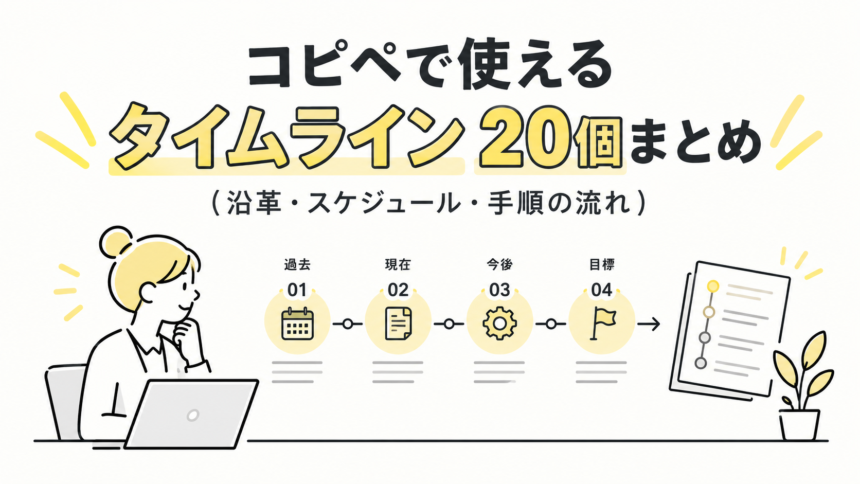
会社の沿革、イベントの進行表、申し込みから利用までの流れなど、「時間の順番」を見せたい場面はよくあります。
この記事では、コピペするだけで使えるタイムラインのデザインを20個まとめました。
シンプルな縦線タイプから、左右交互、横並び、配送状況のような進み具合の表示、1日のスケジュール表まで、場面ごとに使い分けられる種類を用意しています。
これまでの記事と同じく、HTMLとCSSを分けて掲載しています。
会社案内の「沿革」って、文章で並べると読みにくいんだよね…
そうなんだ。線と点でつなぐだけで、時間の流れがぐっとわかりやすくなるんだよ。使い方を先に説明するね。
使い方|HTMLとCSSをそれぞれ貼り付ける
CSSのコードを、サイトのスタイルシートに追加します。続いて、HTMLのコードを、タイムラインを表示したい場所に貼り付けます。
日付は「〇〇-date」、内容は「〇〇-text」のpタグの中に書き込みます。
項目を増やしたい時は、liタグをまるごとコピーして、下に並べてください。
01. シンプルな縦線タイプ
左に縦線と丸い点を並べた、もっとも定番のタイムラインです。
実際の見た目
- 2020年創業
- 2023年2号店オープン
- 2026年オンラインショップ開始
HTMLコード
<ul class="kts-tl01">
  <li><div class="kts-tl01-date">2020年</div><div class="kts-tl01-text">創業</div></li>
  <li><div class="kts-tl01-date">2023年</div><div class="kts-tl01-text">2号店オープン</div></li>
  <li><div class="kts-tl01-date">2026年</div><div class="kts-tl01-text">オンラインショップ開始</div></li>
</ul>
CSSコード
.kts-tl01 { list-style: none; margin: 0; padding: 0; font-family: sans-serif; }
.kts-tl01 li { list-style: none; margin: 0; }
.kts-tl01 li::marker { content: none; }
.kts-tl01 div { margin: 0; }
.kts-tl01 li { position: relative; padding: 0 0 20px 24px; border-left: 2px solid #D1D5DB; }
.kts-tl01 li:last-child { border-left-color: transparent; padding-bottom: 0; }
.kts-tl01 li::before { content: ""; position: absolute; left: -7px; top: 2px; width: 12px; height: 12px; border-radius: 50%; background: #3B82F6; }
.kts-tl01-date { font-size: 13px; font-weight: 700; color: #3B82F6; }
.kts-tl01-text { font-size: 15px; color: #1F2937; }
02. 日付を左に並べるタイプ
日付を左、内容を右に分けた、会社の沿革に向いているタイプです。
実際の見た目
- 2020年創業
- 2023年2号店オープン
- 2026年オンラインショップ開始
HTMLコード
<ul class="kts-tl02">
  <li><div class="kts-tl02-date">2020年</div><div class="kts-tl02-text">創業</div></li>
  <li><div class="kts-tl02-date">2023年</div><div class="kts-tl02-text">2号店オープン</div></li>
  <li><div class="kts-tl02-date">2026年</div><div class="kts-tl02-text">オンラインショップ開始</div></li>
</ul>
CSSコード
.kts-tl02 { list-style: none; margin: 0; padding: 0; font-family: sans-serif; }
.kts-tl02 li { list-style: none; margin: 0; }
.kts-tl02 li::marker { content: none; }
.kts-tl02 div { margin: 0; }
.kts-tl02 li { display: flex; }
.kts-tl02-date { flex: 0 0 80px; padding: 0 16px 20px 0; text-align: right; font-size: 14px; font-weight: 700; color: #0F766E; }
.kts-tl02-text { position: relative; flex: 1; padding: 0 0 20px 22px; border-left: 2px solid #99F6E4; font-size: 15px; color: #1F2937; }
.kts-tl02 li:last-child .kts-tl02-text { border-left-color: transparent; }
.kts-tl02-text::before { content: ""; position: absolute; left: -7px; top: 4px; width: 12px; height: 12px; border-radius: 50%; background: #fff; border: 2px solid #0F766E; box-sizing: border-box; }
03. 数字入りの丸のタイプ
丸の中に番号を入れた、手順の流れを見せたい時のタイプです。
実際の見た目
- STEP 1フォームから申し込み
- STEP 2確認メールが届く
- STEP 3当日、会場へ
HTMLコード
<ul class="kts-tl03">
  <li><div class="kts-tl03-date">STEP 1</div><div class="kts-tl03-text">フォームから申し込み</div></li>
  <li><div class="kts-tl03-date">STEP 2</div><div class="kts-tl03-text">確認メールが届く</div></li>
  <li><div class="kts-tl03-date">STEP 3</div><div class="kts-tl03-text">当日、会場へ</div></li>
</ul>
CSSコード
.kts-tl03 { list-style: none; margin: 0; padding: 0; font-family: sans-serif; }
.kts-tl03 li { list-style: none; margin: 0; }
.kts-tl03 li::marker { content: none; }
.kts-tl03 div { margin: 0; }
.kts-tl03 { counter-reset: kts-tl03; }
.kts-tl03 li { position: relative; padding: 0 0 22px 46px; counter-increment: kts-tl03; }
.kts-tl03 li::before { content: counter(kts-tl03); position: absolute; left: 0; top: 0; width: 30px; height: 30px; line-height: 30px; border-radius: 50%; background: #8B5CF6; color: #fff; text-align: center; font-weight: 700; z-index: 1; }
.kts-tl03 li::after { content: ""; position: absolute; left: 14px; top: 30px; bottom: 0; width: 2px; background: #DDD6FE; }
.kts-tl03 li:last-child::after { display: none; }
.kts-tl03-date { font-size: 13px; font-weight: 700; color: #8B5CF6; }
.kts-tl03-text { font-size: 15px; color: #1F2937; }
04. カード型のタイムライン
内容を白いカードに入れた、情報量が多い時に読みやすいタイプです。
実際の見た目
- 2020年創業
- 2023年2号店オープン
- 2026年オンラインショップ開始
HTMLコード
<ul class="kts-tl04">
  <li><div class="kts-tl04-date">2020年</div><div class="kts-tl04-text">創業</div></li>
  <li><div class="kts-tl04-date">2023年</div><div class="kts-tl04-text">2号店オープン</div></li>
  <li><div class="kts-tl04-date">2026年</div><div class="kts-tl04-text">オンラインショップ開始</div></li>
</ul>
CSSコード
.kts-tl04 { list-style: none; margin: 0; padding: 0; font-family: sans-serif; }
.kts-tl04 li { list-style: none; margin: 0; }
.kts-tl04 li::marker { content: none; }
.kts-tl04 div { margin: 0; }
.kts-tl04 { position: relative; padding-left: 26px; }
.kts-tl04::before { content: ""; position: absolute; left: 7px; top: 6px; bottom: 6px; width: 2px; background: #E5E7EB; }
.kts-tl04 li { position: relative; margin-bottom: 14px; padding: 14px 16px; background: #fff; border-radius: 10px; box-shadow: 0 2px 10px rgba(0,0,0,.08); }
.kts-tl04 li::before { content: ""; position: absolute; left: -24px; top: 18px; width: 12px; height: 12px; border-radius: 50%; background: #F97316; }
.kts-tl04-date { font-size: 13px; font-weight: 700; color: #F97316; }
.kts-tl04-text { font-size: 15px; color: #1F2937; }
05. 左右に交互に並ぶタイプ
中央の線をはさんで、左右交互に並べる見映えのよいタイプです。
実際の見た目
- 2020年創業
- 2023年2号店オープン
- 2026年オンラインショップ開始
HTMLコード
<ul class="kts-tl05">
  <li><div class="kts-tl05-date">2020年</div><div class="kts-tl05-text">創業</div></li>
  <li><div class="kts-tl05-date">2023年</div><div class="kts-tl05-text">2号店オープン</div></li>
  <li><div class="kts-tl05-date">2026年</div><div class="kts-tl05-text">オンラインショップ開始</div></li>
</ul>
CSSコード
.kts-tl05 { list-style: none; margin: 0; padding: 0; font-family: sans-serif; }
.kts-tl05 li { list-style: none; margin: 0; }
.kts-tl05 li::marker { content: none; }
.kts-tl05 div { margin: 0; }
.kts-tl05 { position: relative; }
.kts-tl05::before { content: ""; position: absolute; left: 50%; top: 0; bottom: 0; width: 2px; background: #D1D5DB; transform: translateX(-50%); }
.kts-tl05 li { position: relative; width: 50%; padding: 0 24px 20px; box-sizing: border-box; }
.kts-tl05 li:nth-child(odd) { text-align: right; }
.kts-tl05 li:nth-child(even) { margin-left: 50%; }
.kts-tl05 li::before { content: ""; position: absolute; top: 3px; width: 12px; height: 12px; border-radius: 50%; background: #EC4899; }
.kts-tl05 li:nth-child(odd)::before { right: -6px; }
.kts-tl05 li:nth-child(even)::before { left: -6px; }
.kts-tl05-date { font-size: 13px; font-weight: 700; color: #EC4899; }
.kts-tl05-text { font-size: 15px; color: #1F2937; }
06. 横に並ぶタイプ
左から右へ横一列に並べる、短い流れを見せたい時のタイプです。
実際の見た目
- 2020年創業
- 2023年2号店オープン
- 2026年オンラインショップ開始
HTMLコード
<ul class="kts-tl06">
  <li><div class="kts-tl06-date">2020年</div><div class="kts-tl06-text">創業</div></li>
  <li><div class="kts-tl06-date">2023年</div><div class="kts-tl06-text">2号店オープン</div></li>
  <li><div class="kts-tl06-date">2026年</div><div class="kts-tl06-text">オンラインショップ開始</div></li>
</ul>
CSSコード
.kts-tl06 { list-style: none; margin: 0; padding: 0; font-family: sans-serif; }
.kts-tl06 li { list-style: none; margin: 0; }
.kts-tl06 li::marker { content: none; }
.kts-tl06 div { margin: 0; }
.kts-tl06 { display: flex; }
.kts-tl06 li { position: relative; flex: 1; padding-top: 26px; text-align: center; }
.kts-tl06 li::before { content: ""; position: absolute; left: 0; right: 0; top: 7px; height: 2px; background: #BFDBFE; }
.kts-tl06 li::after { content: ""; position: absolute; left: 50%; top: 0; width: 16px; height: 16px; border-radius: 50%; background: #2563EB; transform: translateX(-50%); }
.kts-tl06 li:first-child::before { left: 50%; }
.kts-tl06 li:last-child::before { right: 50%; }
.kts-tl06-date { font-size: 13px; font-weight: 700; color: #2563EB; }
.kts-tl06-text { font-size: 15px; color: #1F2937; }
07. アイコン付きのタイプ
丸の中に絵文字を入れて、内容をひと目で伝えるタイプです。
実際の見た目
- 9:00🏢 受付開始
- 10:00🎤 基調講演
- 12:00🍱 ランチ交流会
HTMLコード
<ul class="kts-tl07">
  <li><div class="kts-tl07-date">9:00</div><div class="kts-tl07-text">🏢 受付開始</div></li>
  <li><div class="kts-tl07-date">10:00</div><div class="kts-tl07-text">🎤 基調講演</div></li>
  <li><div class="kts-tl07-date">12:00</div><div class="kts-tl07-text">🍱 ランチ交流会</div></li>
</ul>
CSSコード
.kts-tl07 { list-style: none; margin: 0; padding: 0; font-family: sans-serif; }
.kts-tl07 li { list-style: none; margin: 0; }
.kts-tl07 li::marker { content: none; }
.kts-tl07 div { margin: 0; }
.kts-tl07 li { position: relative; display: flex; gap: 14px; padding-bottom: 18px; }
.kts-tl07 li::after { content: ""; position: absolute; left: 19px; top: 40px; bottom: 0; width: 2px; background: #FDE68A; }
.kts-tl07 li:last-child::after { display: none; }
.kts-tl07-date { flex: 0 0 40px; height: 40px; line-height: 40px; border-radius: 50%; background: #FEF3C7; text-align: center; font-size: 11px; font-weight: 700; color: #92400E; }
.kts-tl07-text { padding-top: 9px; font-size: 15px; color: #1F2937; }
08. 完了・進行中が分かるタイプ
終わった段階と今の段階を色で分けた、進み具合を伝えるタイプです。
実際の見た目
- 注文受付
- 発送準備
- 配送中
- お届け完了
HTMLコード
<ul class="kts-tl08">
  <li class="done"><div class="kts-tl08-text">注文受付</div></li>
  <li class="done"><div class="kts-tl08-text">発送準備</div></li>
  <li class="now"><div class="kts-tl08-text">配送中</div></li>
  <li><div class="kts-tl08-text">お届け完了</div></li>
</ul>
CSSコード
.kts-tl08 { list-style: none; margin: 0; padding: 0; font-family: sans-serif; }
.kts-tl08 li { list-style: none; margin: 0; }
.kts-tl08 li::marker { content: none; }
.kts-tl08 div { margin: 0; }
.kts-tl08 li { position: relative; padding: 0 0 18px 30px; }
.kts-tl08 li::before { content: ""; position: absolute; left: 0; top: 2px; width: 16px; height: 16px; border-radius: 50%; background: #E5E7EB; z-index: 1; }
.kts-tl08 li::after { content: ""; position: absolute; left: 7px; top: 18px; bottom: 0; width: 2px; background: #E5E7EB; }
.kts-tl08 li:last-child::after { display: none; }
.kts-tl08 li.done::before { background: #10B981; }
.kts-tl08 li.done::after { background: #10B981; }
.kts-tl08 li.now::before { background: #fff; border: 4px solid #10B981; box-sizing: border-box; }
.kts-tl08-text { font-size: 15px; color: #9CA3AF; }
.kts-tl08 li.done .kts-tl08-text, .kts-tl08 li.now .kts-tl08-text { color: #111827; }
.kts-tl08 li.now .kts-tl08-text { font-weight: 700; }
09. 1日のスケジュール表
時刻と予定を表のように並べた、イベントの進行表に向くタイプです。
実際の見た目
- 13:00開場・受付
- 13:30オープニング
- 14:00ワークショップ
- 16:00閉会
HTMLコード
<ul class="kts-tl09">
  <li><div class="kts-tl09-date">13:00</div><div class="kts-tl09-text">開場・受付</div></li>
  <li><div class="kts-tl09-date">13:30</div><div class="kts-tl09-text">オープニング</div></li>
  <li><div class="kts-tl09-date">14:00</div><div class="kts-tl09-text">ワークショップ</div></li>
  <li><div class="kts-tl09-date">16:00</div><div class="kts-tl09-text">閉会</div></li>
</ul>
CSSコード
.kts-tl09 { list-style: none; margin: 0; padding: 0; font-family: sans-serif; }
.kts-tl09 li { list-style: none; margin: 0; }
.kts-tl09 li::marker { content: none; }
.kts-tl09 div { margin: 0; }
.kts-tl09 li { display: flex; border-bottom: 1px dashed #D1D5DB; }
.kts-tl09-date { flex: 0 0 70px; padding: 10px 0; font-size: 15px; font-weight: 700; color: #0369A1; }
.kts-tl09-text { padding: 10px 0; font-size: 15px; color: #1F2937; }
10. グラデーションの線
縦線にグラデーションをかけた、時間の流れを感じさせるタイプです。
実際の見た目
- 2020年創業
- 2023年2号店オープン
- 2026年オンラインショップ開始
HTMLコード
<ul class="kts-tl10">
  <li><div class="kts-tl10-date">2020年</div><div class="kts-tl10-text">創業</div></li>
  <li><div class="kts-tl10-date">2023年</div><div class="kts-tl10-text">2号店オープン</div></li>
  <li><div class="kts-tl10-date">2026年</div><div class="kts-tl10-text">オンラインショップ開始</div></li>
</ul>
CSSコード
.kts-tl10 { list-style: none; margin: 0; padding: 0; font-family: sans-serif; }
.kts-tl10 li { list-style: none; margin: 0; }
.kts-tl10 li::marker { content: none; }
.kts-tl10 div { margin: 0; }
.kts-tl10 { position: relative; padding-left: 28px; }
.kts-tl10::before { content: ""; position: absolute; left: 6px; top: 4px; bottom: 4px; width: 4px; border-radius: 2px; background: linear-gradient(#22D3EE, #6366F1); }
.kts-tl10 li { position: relative; padding-bottom: 20px; }
.kts-tl10 li:last-child { padding-bottom: 0; }
.kts-tl10 li::before { content: ""; position: absolute; left: -27px; top: 2px; width: 14px; height: 14px; border-radius: 50%; background: #fff; border: 3px solid #6366F1; box-sizing: border-box; }
.kts-tl10-date { font-size: 13px; font-weight: 700; color: #6366F1; }
.kts-tl10-text { font-size: 15px; color: #1F2937; }
11. ダークカラーのタイプ
黒系の背景で、引き締まった印象にしたい時のタイプです。
実際の見た目
- 2020年創業
- 2023年2号店オープン
- 2026年オンラインショップ開始
HTMLコード
<ul class="kts-tl11">
  <li><div class="kts-tl11-date">2020年</div><div class="kts-tl11-text">創業</div></li>
  <li><div class="kts-tl11-date">2023年</div><div class="kts-tl11-text">2号店オープン</div></li>
  <li><div class="kts-tl11-date">2026年</div><div class="kts-tl11-text">オンラインショップ開始</div></li>
</ul>
CSSコード
.kts-tl11 { list-style: none; margin: 0; padding: 0; font-family: sans-serif; }
.kts-tl11 li { list-style: none; margin: 0; }
.kts-tl11 li::marker { content: none; }
.kts-tl11 div { margin: 0; }
.kts-tl11 { padding: 20px 20px 20px 40px; background: #111827; border-radius: 10px; }
.kts-tl11 li { position: relative; padding-bottom: 18px; border-left: 2px solid #374151; padding-left: 20px; margin-left: -20px; }
.kts-tl11 li:last-child { padding-bottom: 0; border-left-color: transparent; }
.kts-tl11 li::before { content: ""; position: absolute; left: -7px; top: 3px; width: 12px; height: 12px; border-radius: 50%; background: #FACC15; }
.kts-tl11-date { font-size: 13px; font-weight: 700; color: #FACC15; }
.kts-tl11-text { font-size: 15px; color: #F9FAFB; }
12. 日付をバッジにするタイプ
日付を色付きのラベルで目立たせた、ニュースの更新履歴に向くタイプです。
実際の見た目
- 2020年創業
- 2023年2号店オープン
- 2026年オンラインショップ開始
HTMLコード
<ul class="kts-tl12">
  <li><div class="kts-tl12-date">2020年</div><div class="kts-tl12-text">創業</div></li>
  <li><div class="kts-tl12-date">2023年</div><div class="kts-tl12-text">2号店オープン</div></li>
  <li><div class="kts-tl12-date">2026年</div><div class="kts-tl12-text">オンラインショップ開始</div></li>
</ul>
CSSコード
.kts-tl12 { list-style: none; margin: 0; padding: 0; font-family: sans-serif; }
.kts-tl12 li { list-style: none; margin: 0; }
.kts-tl12 li::marker { content: none; }
.kts-tl12 div { margin: 0; }
.kts-tl12 li { position: relative; padding: 0 0 18px 20px; border-left: 2px solid #FECACA; }
.kts-tl12 li:last-child { padding-bottom: 0; }
.kts-tl12-date { display: inline-block; margin-bottom: 4px; padding: 2px 10px; background: #DC2626; color: #fff; border-radius: 999px; font-size: 12px; font-weight: 700; }
.kts-tl12-text { font-size: 15px; color: #1F2937; }
13. 点線のやわらかいタイプ
点線でつないだ、手作り感のあるやさしい印象のタイプです。
実際の見た目
- 2020年創業
- 2023年2号店オープン
- 2026年オンラインショップ開始
HTMLコード
<ul class="kts-tl13">
  <li><div class="kts-tl13-date">2020年</div><div class="kts-tl13-text">創業</div></li>
  <li><div class="kts-tl13-date">2023年</div><div class="kts-tl13-text">2号店オープン</div></li>
  <li><div class="kts-tl13-date">2026年</div><div class="kts-tl13-text">オンラインショップ開始</div></li>
</ul>
CSSコード
.kts-tl13 { list-style: none; margin: 0; padding: 0; font-family: sans-serif; }
.kts-tl13 li { list-style: none; margin: 0; }
.kts-tl13 li::marker { content: none; }
.kts-tl13 div { margin: 0; }
.kts-tl13 li { position: relative; padding: 0 0 20px 26px; border-left: 2px dotted #FB923C; }
.kts-tl13 li:last-child { border-left-color: transparent; padding-bottom: 0; }
.kts-tl13 li::before { content: "●"; position: absolute; left: -8px; top: -1px; font-size: 14px; color: #FB923C; }
.kts-tl13-date { font-size: 13px; font-weight: 700; color: #EA580C; }
.kts-tl13-text { font-size: 15px; color: #1F2937; }
14. 大きな年号のタイプ
年号を大きく見せる、歴史や歩みを印象的に伝えるタイプです。
実際の見た目
- 2020年創業
- 2023年2号店オープン
- 2026年オンラインショップ開始
HTMLコード
<ul class="kts-tl14">
  <li><div class="kts-tl14-date">2020年</div><div class="kts-tl14-text">創業</div></li>
  <li><div class="kts-tl14-date">2023年</div><div class="kts-tl14-text">2号店オープン</div></li>
  <li><div class="kts-tl14-date">2026年</div><div class="kts-tl14-text">オンラインショップ開始</div></li>
</ul>
CSSコード
.kts-tl14 { list-style: none; margin: 0; padding: 0; font-family: sans-serif; }
.kts-tl14 li { list-style: none; margin: 0; }
.kts-tl14 li::marker { content: none; }
.kts-tl14 div { margin: 0; }
.kts-tl14 li { display: flex; align-items: baseline; gap: 18px; padding: 12px 0; border-bottom: 1px solid #E5E7EB; }
.kts-tl14-date { flex: 0 0 120px; font-size: 24px; white-space: nowrap; font-weight: 800; color: #1E3A8A; letter-spacing: .02em; }
.kts-tl14-text { font-size: 15px; color: #374151; }
15. 背景色で区切るタイプ
項目ごとに薄い背景色を敷いた、ブロックで読みやすく見せるタイプです。
実際の見た目
- 2020年創業
- 2023年2号店オープン
- 2026年オンラインショップ開始
HTMLコード
<ul class="kts-tl15">
  <li><div class="kts-tl15-date">2020年</div><div class="kts-tl15-text">創業</div></li>
  <li><div class="kts-tl15-date">2023年</div><div class="kts-tl15-text">2号店オープン</div></li>
  <li><div class="kts-tl15-date">2026年</div><div class="kts-tl15-text">オンラインショップ開始</div></li>
</ul>
CSSコード
.kts-tl15 { list-style: none; margin: 0; padding: 0; font-family: sans-serif; }
.kts-tl15 li { list-style: none; margin: 0; }
.kts-tl15 li::marker { content: none; }
.kts-tl15 div { margin: 0; }
.kts-tl15 li { position: relative; margin-bottom: 8px; padding: 12px 16px 12px 22px; background: #F0FDF4; border-radius: 8px; }
.kts-tl15 li::before { content: ""; position: absolute; left: 0; top: 0; bottom: 0; width: 5px; border-radius: 8px 0 0 8px; background: #22C55E; }
.kts-tl15-date { font-size: 13px; font-weight: 700; color: #15803D; }
.kts-tl15-text { font-size: 15px; color: #1F2937; }
16. 写真エリア付きのタイプ
内容の横に画像を置ける、商品の開発ストーリーなどに向くタイプです。
実際の見た目
- 画像2020年創業
- 画像2023年2号店オープン
- 画像2026年オンラインショップ開始
HTMLコード
<ul class="kts-tl16">
  <li><div class="kts-tl16-img">画像</div><div><div class="kts-tl16-date">2020年</div><div class="kts-tl16-text">創業</div></div></li>
  <li><div class="kts-tl16-img">画像</div><div><div class="kts-tl16-date">2023年</div><div class="kts-tl16-text">2号店オープン</div></div></li>
  <li><div class="kts-tl16-img">画像</div><div><div class="kts-tl16-date">2026年</div><div class="kts-tl16-text">オンラインショップ開始</div></div></li>
</ul>
CSSコード
.kts-tl16 { list-style: none; margin: 0; padding: 0; font-family: sans-serif; }
.kts-tl16 li { list-style: none; margin: 0; }
.kts-tl16 li::marker { content: none; }
.kts-tl16 div { margin: 0; }
.kts-tl16 li { display: flex; align-items: center; gap: 14px; margin-bottom: 12px; }
.kts-tl16-img { flex: 0 0 64px; height: 64px; display: flex; align-items: center; justify-content: center; background: #E0E7FF; border-radius: 8px; font-size: 12px; color: #4338CA; }
.kts-tl16-date { font-size: 13px; font-weight: 700; color: #4338CA; }
.kts-tl16-text { font-size: 15px; color: #1F2937; }
17. ひし形の目印のタイプ
丸のかわりにひし形を置いた、少しシャープな印象のタイプです。
実際の見た目
- 2020年創業
- 2023年2号店オープン
- 2026年オンラインショップ開始
HTMLコード
<ul class="kts-tl17">
  <li><div class="kts-tl17-date">2020年</div><div class="kts-tl17-text">創業</div></li>
  <li><div class="kts-tl17-date">2023年</div><div class="kts-tl17-text">2号店オープン</div></li>
  <li><div class="kts-tl17-date">2026年</div><div class="kts-tl17-text">オンラインショップ開始</div></li>
</ul>
CSSコード
.kts-tl17 { list-style: none; margin: 0; padding: 0; font-family: sans-serif; }
.kts-tl17 li { list-style: none; margin: 0; }
.kts-tl17 li::marker { content: none; }
.kts-tl17 div { margin: 0; }
.kts-tl17 li { position: relative; padding: 0 0 20px 26px; border-left: 2px solid #CBD5E1; }
.kts-tl17 li:last-child { border-left-color: transparent; padding-bottom: 0; }
.kts-tl17 li::before { content: ""; position: absolute; left: -7px; top: 3px; width: 12px; height: 12px; background: #0EA5E9; transform: rotate(45deg); }
.kts-tl17-date { font-size: 13px; font-weight: 700; color: #0284C7; }
.kts-tl17-text { font-size: 15px; color: #1F2937; }
18. 今日の位置を示すタイプ
「今ここ」を目立たせて、予定の中の現在地を伝えるタイプです。
実際の見た目
- 10/1募集開始
- 10/15選考期間今ここ
- 11/1結果発表
HTMLコード
<ul class="kts-tl18">
  <li><div class="kts-tl18-date">10/1</div><div class="kts-tl18-text">募集開始</div></li>
  <li class="now"><div class="kts-tl18-date">10/15</div><div class="kts-tl18-text">選考期間</div><span class="kts-tl18-badge">今ここ</span></li>
  <li><div class="kts-tl18-date">11/1</div><div class="kts-tl18-text">結果発表</div></li>
</ul>
CSSコード
.kts-tl18 { list-style: none; margin: 0; padding: 0; font-family: sans-serif; }
.kts-tl18 li { list-style: none; margin: 0; }
.kts-tl18 li::marker { content: none; }
.kts-tl18 div { margin: 0; }
.kts-tl18 li { position: relative; padding: 0 0 20px 24px; border-left: 2px solid #E5E7EB; }
.kts-tl18 li:last-child { border-left-color: transparent; padding-bottom: 0; }
.kts-tl18 li::before { content: ""; position: absolute; left: -6px; top: 3px; width: 10px; height: 10px; border-radius: 50%; background: #D1D5DB; }
.kts-tl18 li.now::before { left: -9px; width: 16px; height: 16px; background: #E11D48; box-shadow: 0 0 0 4px #FFE4E6; }
.kts-tl18-badge { display: inline-block; margin-top: 4px; padding: 2px 8px; background: #E11D48; color: #fff; border-radius: 4px; font-size: 11px; font-weight: 700; }
.kts-tl18-date { font-size: 13px; font-weight: 700; color: #6B7280; }
.kts-tl18-text { font-size: 15px; color: #1F2937; }
19. コンパクトな小さめタイプ
文字を小さくまとめた、サイドバーなど狭い場所で使えるタイプです。
実際の見た目
- 2020年創業
- 2023年2号店オープン
- 2026年オンラインショップ開始
HTMLコード
<ul class="kts-tl19">
  <li><div class="kts-tl19-date">2020年</div><div class="kts-tl19-text">創業</div></li>
  <li><div class="kts-tl19-date">2023年</div><div class="kts-tl19-text">2号店オープン</div></li>
  <li><div class="kts-tl19-date">2026年</div><div class="kts-tl19-text">オンラインショップ開始</div></li>
</ul>
CSSコード
.kts-tl19 { list-style: none; margin: 0; padding: 0; font-family: sans-serif; }
.kts-tl19 li { list-style: none; margin: 0; }
.kts-tl19 li::marker { content: none; }
.kts-tl19 div { margin: 0; }
.kts-tl19 li { position: relative; padding: 0 0 10px 16px; border-left: 1px solid #D1D5DB; font-size: 13px; }
.kts-tl19 li:last-child { border-left-color: transparent; padding-bottom: 0; }
.kts-tl19 li::before { content: ""; position: absolute; left: -4px; top: 5px; width: 7px; height: 7px; border-radius: 50%; background: #6B7280; }
.kts-tl19-date { font-size: 11px; color: #9CA3AF; }
.kts-tl19-text { font-size: 13px; color: #374151; }
20. ふわっと表示されるタイプ
項目が順番にふわっと現れる、動きのあるタイプです。
実際の見た目
- 2020年創業
- 2023年2号店オープン
- 2026年オンラインショップ開始
HTMLコード
<ul class="kts-tl20">
  <li><div class="kts-tl20-date">2020年</div><div class="kts-tl20-text">創業</div></li>
  <li><div class="kts-tl20-date">2023年</div><div class="kts-tl20-text">2号店オープン</div></li>
  <li><div class="kts-tl20-date">2026年</div><div class="kts-tl20-text">オンラインショップ開始</div></li>
</ul>
CSSコード
.kts-tl20 { list-style: none; margin: 0; padding: 0; font-family: sans-serif; }
.kts-tl20 li { list-style: none; margin: 0; }
.kts-tl20 li::marker { content: none; }
.kts-tl20 div { margin: 0; }
.kts-tl20 li { position: relative; padding: 0 0 20px 24px; border-left: 2px solid #E9D5FF; opacity: 0; animation: kts-tl20-fade .6s ease forwards; }
.kts-tl20 li:nth-child(2) { animation-delay: .3s; }
.kts-tl20 li:nth-child(3) { animation-delay: .6s; }
.kts-tl20 li:last-child { border-left-color: transparent; padding-bottom: 0; }
.kts-tl20 li::before { content: ""; position: absolute; left: -7px; top: 3px; width: 12px; height: 12px; border-radius: 50%; background: #A855F7; }
@keyframes kts-tl20-fade { from { opacity: 0; transform: translateX(-10px); } to { opacity: 1; transform: translateX(0); } }
.kts-tl20-date { font-size: 13px; font-weight: 700; color: #9333EA; }
.kts-tl20-text { font-size: 15px; color: #1F2937; }
カスタマイズの小ワザ
- 項目を増やす時は、<li>〜</li>をまるごとコピーして追加してください。最後の項目の線は自動で消えるようになっています。
- 05番の左右交互タイプは、スマホでは横幅が狭くなるので、文字数を少なめにするのがおすすめです。
- 08番と18番は、liタグに付けるclass(done・now)を書き換えるだけで、進み具合を更新できます。
- 20番のアニメーションは3項目分の時間差を設定しています。項目を増やす時は、nth-child(4)の行を足してください。
- 色を変えたい時は、CSS内の色コード(#で始まる部分)を書き換えてください。
まとめ|早見表
| 使いたい場面 | 該当するタイムライン |
|---|---|
| シンプルに使いたい | 01, 17, 19 |
| 会社の沿革・歩み | 02, 05, 14 |
| 手順・流れ | 03, 06 |
| 情報量が多い | 04, 15, 16 |
| イベントの進行表 | 07, 09 |
| 配送・進み具合 | 08, 18 |
| 雰囲気を出したい | 10, 11, 13 |
| お知らせ・更新履歴 | 12 |
| 動きを付けたい | 20 |
これなら会社案内のページも、すぐ作れそう!
うん、項目はliタグをコピーして増やすだけだからね。沿革は02番か14番、イベントの進行表は09番あたりから試してみてね。
20個のタイムラインは、ulとliタグにCSSで線と目印を付けて作る。項目はliタグをコピーして増やせ、最後の項目の線は自動で消える。